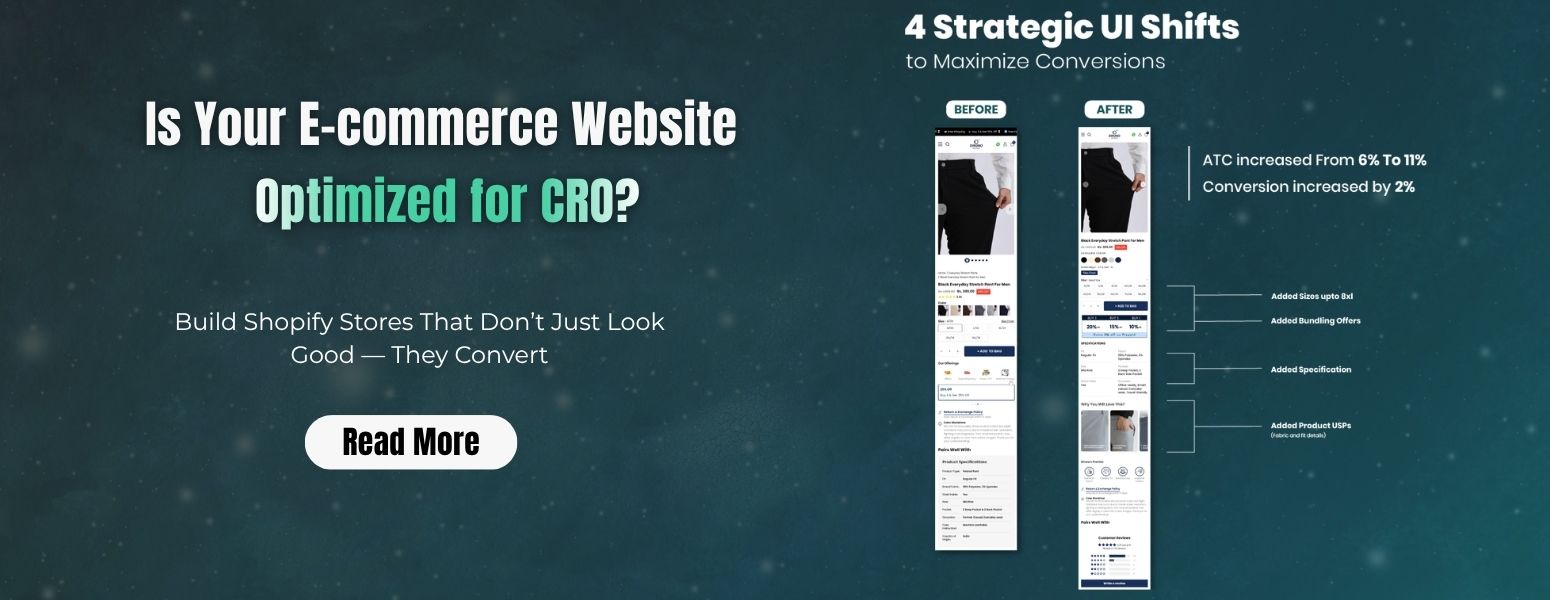
Most D2C founders and e-commerce decision makers assume their website is good enough once it looks premium and runs ads smoothly. However, here’s the uncomfortable truth: good design does not necessarily equal high conversion.
You might be spending heavily on performance marketing, driving daily traffic, and still experiencing low sales. That gap between visitors and buyers is where CRO (Conversion Rate Optimization) becomes critical.
The real question is not Do I have traffic?It’s Am I converting that traffic efficiently?
This guide will help you analyse whether your e-commerce website is actually optimized for CRO and where you might be losing revenue without realizing it.
What Does CRO Optimization Really Mean?
CRO is not just about changing button colors or running A/B tests. It’s about removing friction from the buyer journey.
An optimized e-commerce website:
- Clearly communicates value within seconds
- Builds trust instantly
- Makes navigation effortless
- Reduces decision fatigue
- Encourages action at every step
If your website fails in even one of these areas, conversions drop.
Step-by-Step: How to Analyse Your E-commerce Website for CRO
1. First Impression Test (0–5 Seconds Rule)
When a user lands on your page, they should immediately understand:
- What you sell
- Who it’s for
- Why it’s worth buying
Ask yourself:
- Is your USP visible above the fold?
- Are you clearly differentiated from competitors?
- Is your messaging benefit-driven or just descriptive?
Common mistake:Many fashion and jewellery brands focus too much on aesthetics and forget clarity.
2. Traffic vs Conversion Benchmarking
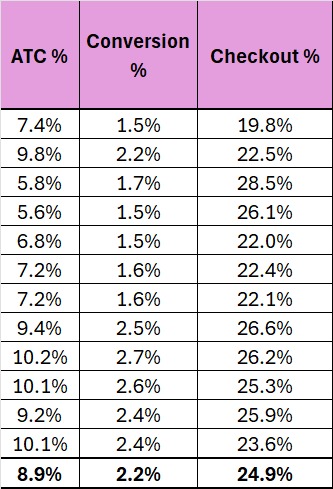
Before diving into design fixes, look at your numbers:
- Conversion Rate (Industry avg: 1–3%)
- Add-to-Cart Rate
- Bounce Rate
- Session Duration
If:
- Traffic is high, but conversions are low → CRO issue
- Add-to-cart is high, but checkout drop-off is high → Checkout friction
This is where performance marketing and e-commerce CRO must work together, not in silos.
3. Product Page Effectiveness
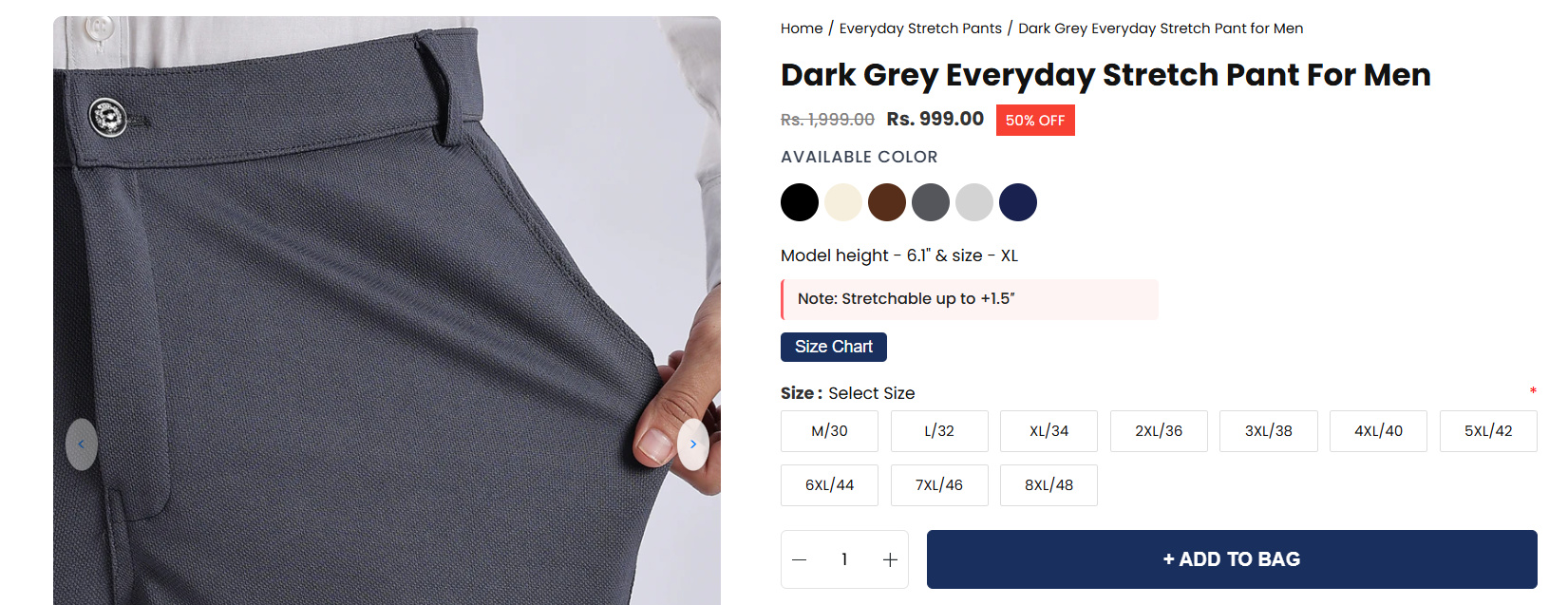
Your product page is where decisions happen.
Evaluate:
- Are product images high-quality and detailed?
- Is there a Zoom or lifestyle usage view?
- Are benefits clearly explained (not just features)?
- Are reviews visible and trustworthy?
Example:Instead of writing “100% cotton kurta,” say:
Breathable cotton fabric designed for all-day comfort in Indian weather.
That’s CRO-focused communication.
4. Trust Signals & Social Proof
Indian customers are highly trust-driven.
Check if your site includes:
- Customer reviews with images
- Testimonials
- COD availability
- Easy return policies
- Trust badges
If a user has even a slight doubt, they leave.
5. Navigation & User Experience
A confused user never converts.
Check:
- Is your menu structure simple?
- Can users find products within 2–3 clicks?
- Are filters intuitive (size, price, category)?
- Is your site fast on mobile?
Critical Insight: More than 80% of Indian e-commerce traffic is mobile. If your mobile UX is weak, CRO automatically suffers.
6. Add-to-Cart & CTA Optimization
Your CTA should guide the user clearly.
Check:
- Is the Add to Cart button visible without scrolling?
- Does it stand out visually?
- Is there urgency (limited stock, offers)?
Avoid:
- Multiple competing CTAs
- Hidden buttons
- Slow loading after a click
7. Checkout Flow Analysis
This is where most revenue is lost.
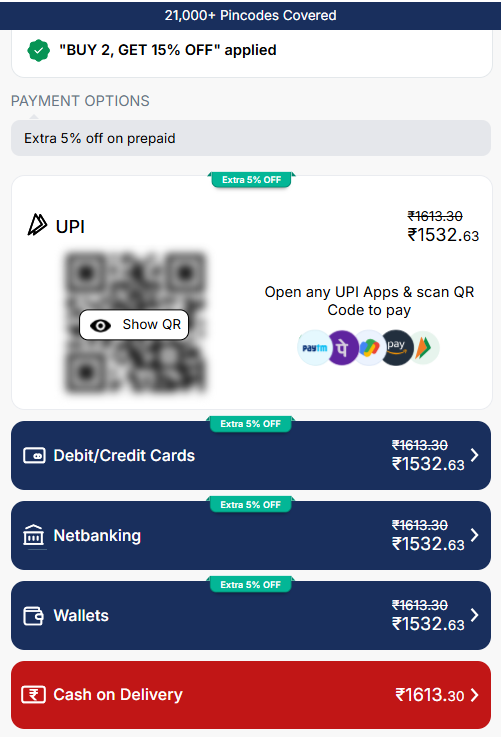
Audit your checkout:
- Number of steps (keep it minimal)
- Guest checkout option
- Payment options (UPI, COD, cards)
- Unexpected costs (shipping, taxes)
Biggest conversion killer: Surprise charges at checkout.
8. Page Speed & Technical Performance
Even a 1-second delay can significantly reduce conversions.
Test:
- Page load time (ideal: under 3 seconds)
- Image optimization
- Script loading issues
A technically slow website silently kills CRO.
9. Heatmaps & User Behavior Tracking
Data tells you what users do, not what they say.
Use tools like:
- Heatmaps (where users click)
- Session recordings (how they behave)
- Scroll depth analysis
These insights reveal:
- Dead zones
- Confusing sections
- Drop-off points
10. Alignment Between Ads & Landing Pages
If your ads promise something, your landing page must deliver the same message.
Mismatch leads to:
- Higher bounce rate
- Lower trust
- Poor conversions
This is a common gap in brands heavily investing in performance marketing without aligning landing experiences.
Common Signs Your Website is NOT CRO Optimized
- High traffic but low sales
- High cart abandonment rate
- Users are not scrolling beyond the first section
- Low repeat purchases
- Poor mobile performance
If you see even 2–3 of these, your CRO needs attention.
How CRO Directly Impacts Your Revenue
Let’s say:
- You get 10,000 visitors/month
- Your conversion rate is 1% → 100 orders
If CRO improves to 2%:
- Orders double to 200 (without increasing ad spend)
That’s why CRO is one of the highest ROI activities for any e-commerce agency or brand.
When Should You Consider Professional CRO Help?
If:
- You’re scaling ads but not seeing ROI
- Your website looks good, but it doesn’t convert
- You don’t have clear user behavior insights
It might be time to work with an experienced e-commerce agency like Curious Apes that understands both design and data.
Conclusion
CRO is not a one-time fix. It’s an ongoing process of testing, analyzing, and improving.
Your website might be visually impressive, but if it’s not converting, it’s underperforming.
The brands that win in today’s competitive D2C space are not just those who drive traffic but those who convert it efficiently.